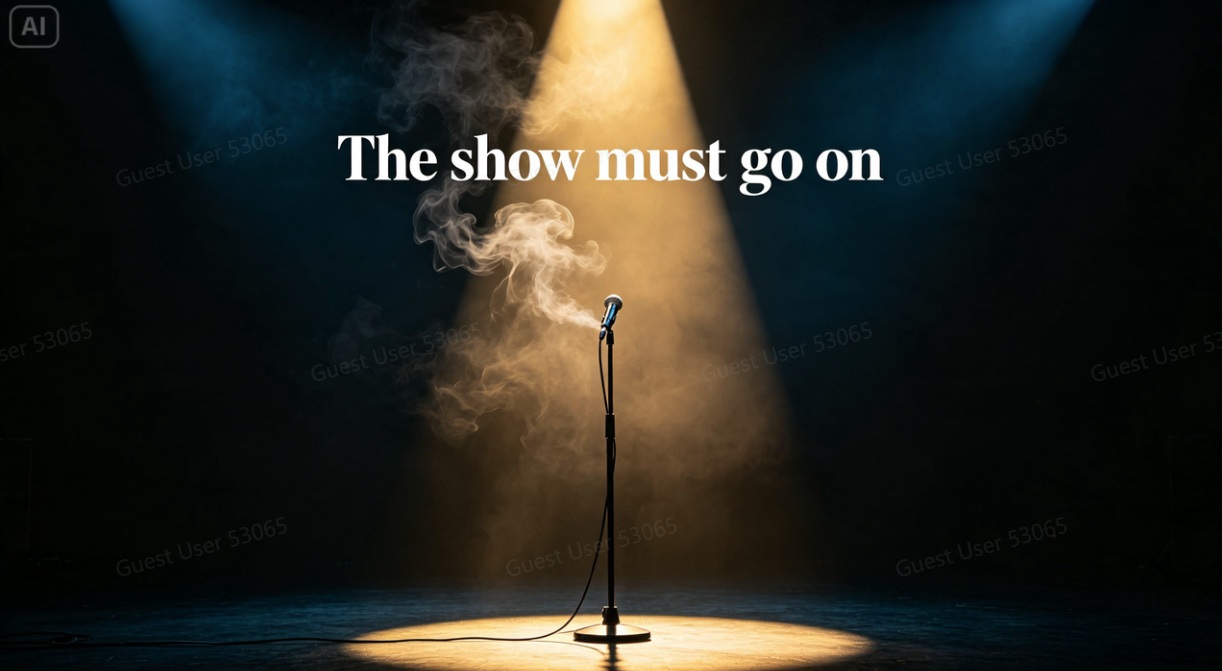
A powerful quote pulled from an interview deserves more than plain text dropped onto a stock photo. The best editorial publications pair a striking quote with artwork that amplifies its meaning, turning words into something visually memorable. A free AI image generator makes that level of editorial craft available to any publication, regardless of budget or in-house design team.
Dreamina, with its advanced image generation capabilities, handles this kind of interpretive, quote-driven artwork with real conceptual depth. Here’s how to turn spoken words into something worth pausing on.
Reading a quote for its visual metaphor
The strongest editorial artwork doesn’t illustrate a quote literally; it captures the feeling behind it. A quote about resilience might suggest imagery of something standing firm against a storm. A quote about ambition might suggest a figure reaching toward a distant light. Finding this metaphorical translation is the real creative work here.
Choosing between literal and abstract interpretation
Not every quote calls for the same visual approach. A few considerations for deciding direction:
-
A concrete, specific quote often suits a literal, scene-based illustration
-
An abstract or philosophical quote often suits symbolic, metaphorical imagery
-
A quote about a person’s identity might suit a stylized portrait
-
A quote about a moment in time might suit an atmospheric, mood-driven scene
Building space for the quote itself
Since the final piece needs to actually carry text, composition matters as much as concept. Leaving a deliberately open, uncluttered area, often to one side or across the bottom third, ensures the quote can be layered in cleanly without fighting the artwork for attention.
Your 3-step editorial build with Dreamina
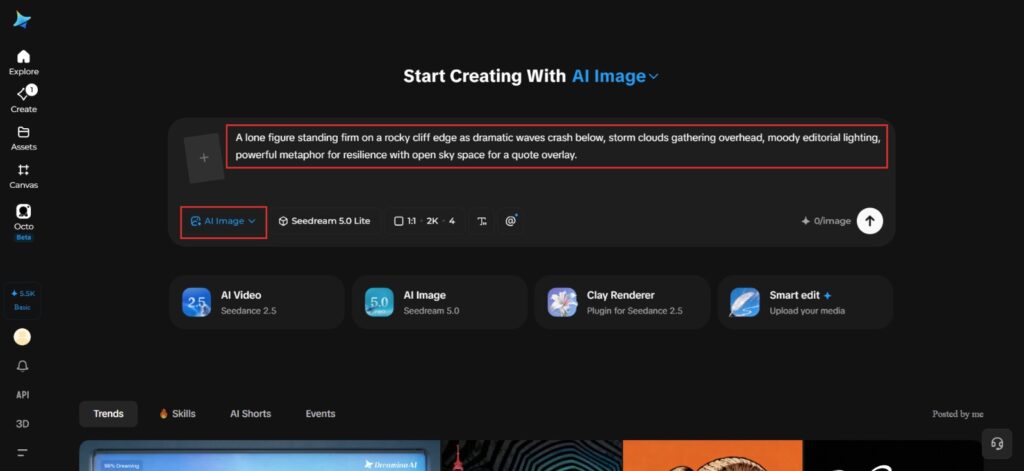
Step 1: Write a text prompt
Navigate to Dreamina and write a detailed text prompt describing a person or symbolic scene dressed and styled appropriately for the quote’s subject matter, translating its emotional core into a specific visual metaphor.
A strong sample prompt might read: A lone figure standing firm on a rocky cliff edge as dramatic waves crash below, storm clouds gathering overhead, moody editorial lighting, powerful metaphor for resilience with open sky space for a quote overlay.
Translating the quote’s feeling into a specific scene, rather than illustrating it word for word, is what gives the artwork real editorial weight.
Step 2: Adjust parameters and generate
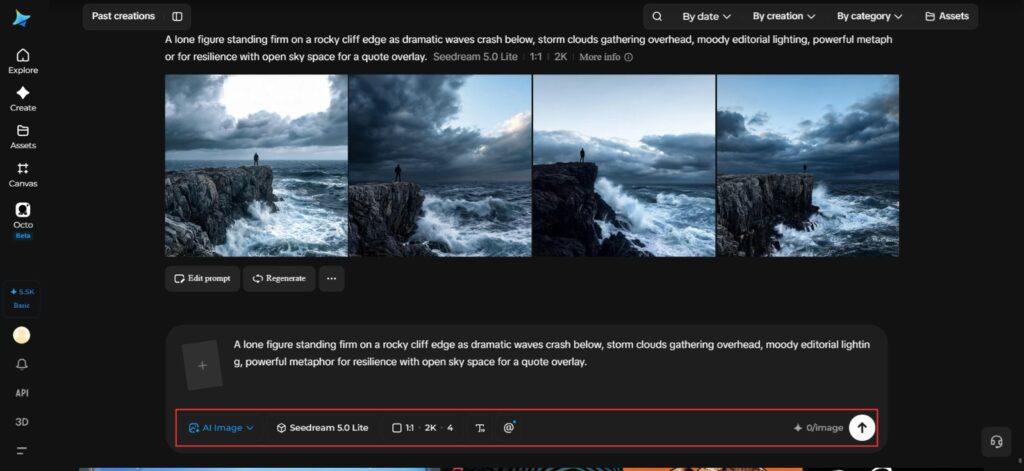
Before generating, set your parameters. Choose your model, Image 5.0 Pro by Seedream 5.0 Pro is a strong choice for dramatic, high-contrast editorial compositions, then select your aspect ratio, image size, and resolution, using a format matching your publication’s layout and 2K resolution for print or large-screen clarity. Click Dreamina’s generate icon to produce your artwork.
Step 3: Customize and download
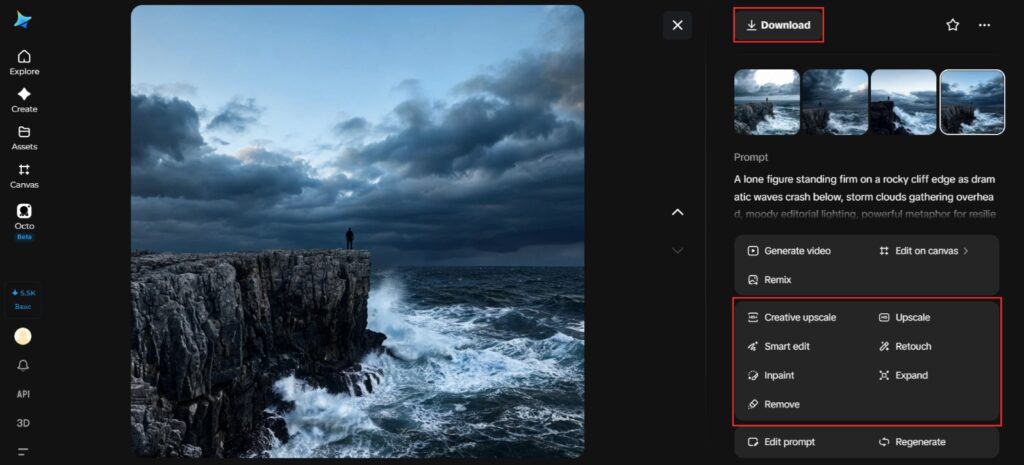
Once your artwork generates, refine it using Dreamina’s AI customization tools — inpaint to sharpen specific symbolic details, expand to open more space for the quote, remove to eliminate anything competing with the central metaphor, and retouch to strengthen overall mood and contrast. When it captures the quote’s real weight, click the Download icon to save it.
Dreamina as a creative tool with multiple image generation models
Editorial work often calls for very different visual sensibilities from one piece to the next, which is exactly where having several models available inside Dreamina proves genuinely useful, including Seedream 5.0 Pro, Nano Banana, and GPT Image 2.
-
Seedream 5.0 Pro’s strength in dramatic lighting and precise composition suits bold, high-impact editorial pieces
-
Nano Banana’s speed makes it well suited to quickly testing several metaphorical directions for the same quote
-
GPT Image 2 offers a distinct interpretive style, useful when a quote calls for a different visual sensibility entirely
Being able to compare outputs across models within one platform helps editorial teams land on the strongest concept faster. This flexibility means a single publication can maintain visual variety across features without needing separate tools for each style.
Matching color mood to emotional tone
The color palette of the final artwork should reinforce the quote’s emotional register just as strongly as the imagery itself. Warm, golden tones suit hopeful or nostalgic quotes. Cool, desaturated tones suit somber or reflective ones. Bold, saturated color suits energetic or defiant statements.
Pairing typography style with the artwork’s mood
While the image itself carries most of the emotional weight, the eventual typography choice, bold and geometric versus elegant and serif, should complement rather than clash with the artwork’s established tone once the quote is actually laid over it.
Building a recognizable style across a publication
A magazine or online outlet running quote-driven artwork regularly benefits from a consistent visual approach, similar lighting drama, and a recurring color treatment, so that readers begin recognizing the publication’s editorial voice through its imagery alone.
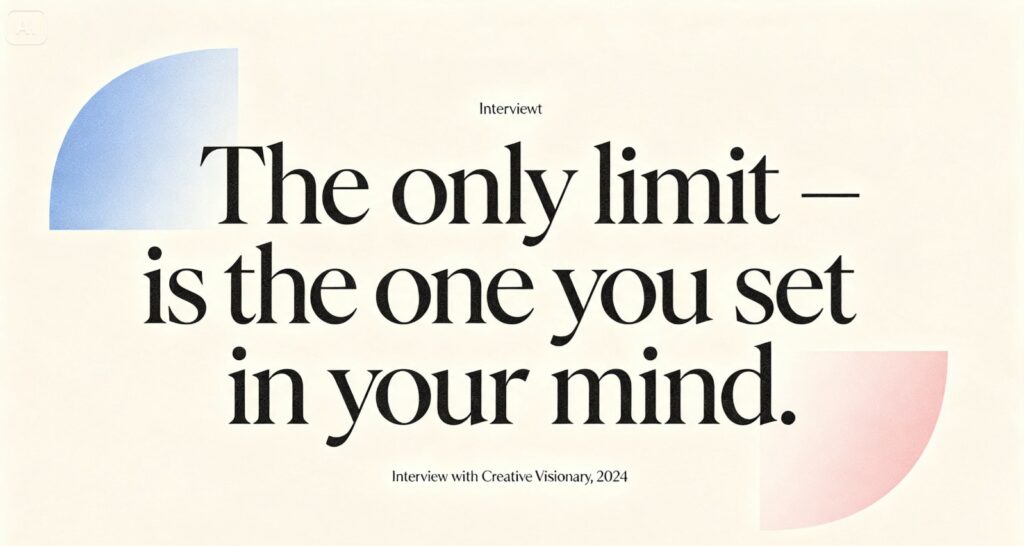
Where quote-driven artwork earns its place
This kind of interpretive visual content shows up across several editorial contexts:
-
Feature interview headers and pull-quote graphics
-
Social media cards promoting a publication’s best lines
-
Print magazine spreads pairing text and striking imagery
-
Newsletter graphics highlighting a standout interview moment
Final thoughts
A genuinely powerful quote deserves artwork that amplifies rather than decorates it, and a free AI image generator makes that level of editorial craft achievable for any publication. With Dreamina and its advanced image generation capabilities, including the flexibility of models like Seedream 5.0 Pro, Nano Banana, and GPT Image 2, words can be translated into imagery that genuinely resonates.
Find the feeling behind the words, translate it into a specific visual metaphor, and let Dreamina help your next quote land with real impact.